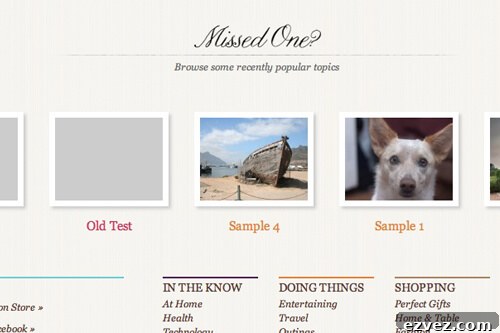
I’m building a theme that relies on each post having a thumbnail of a specific size. If a post is missing a thumbnail, I don’t want the layout to break or appear inconsistent.
To handle this, I wrote a helper function named be_no_thumbnail($size). When called with a valid size identifier, it generates a placeholder image of that size so the theme can always display an image without disturbing layout or styling.
This approach works with the standard image sizes managed in WordPress Settings > Media (thumbnail, medium, large). If your theme uses custom image sizes, you’ll need a different method because custom sizes are stored and registered differently.
The function generates a blank image that matches the requested dimensions and can be used anywhere a post thumbnail is expected. Use it wherever your template would normally call the_post_thumbnail() so missing images are gracefully replaced without altering page flow.
Example usage in a template might look like a conditional that checks for a post thumbnail and falls back to be_no_thumbnail() when none exists. This keeps markup consistent and avoids visual gaps or layout shifts.